The Challenge
You know that moment when half the class can't find the Zoom link? You're juggling emails, calendar invites, and reminder messages — and live sessions still feel disconnected from the rest of your course. It doesn't have to be this way.
What Becomes Possible
Here's how this integration transforms your workflow and student experience.
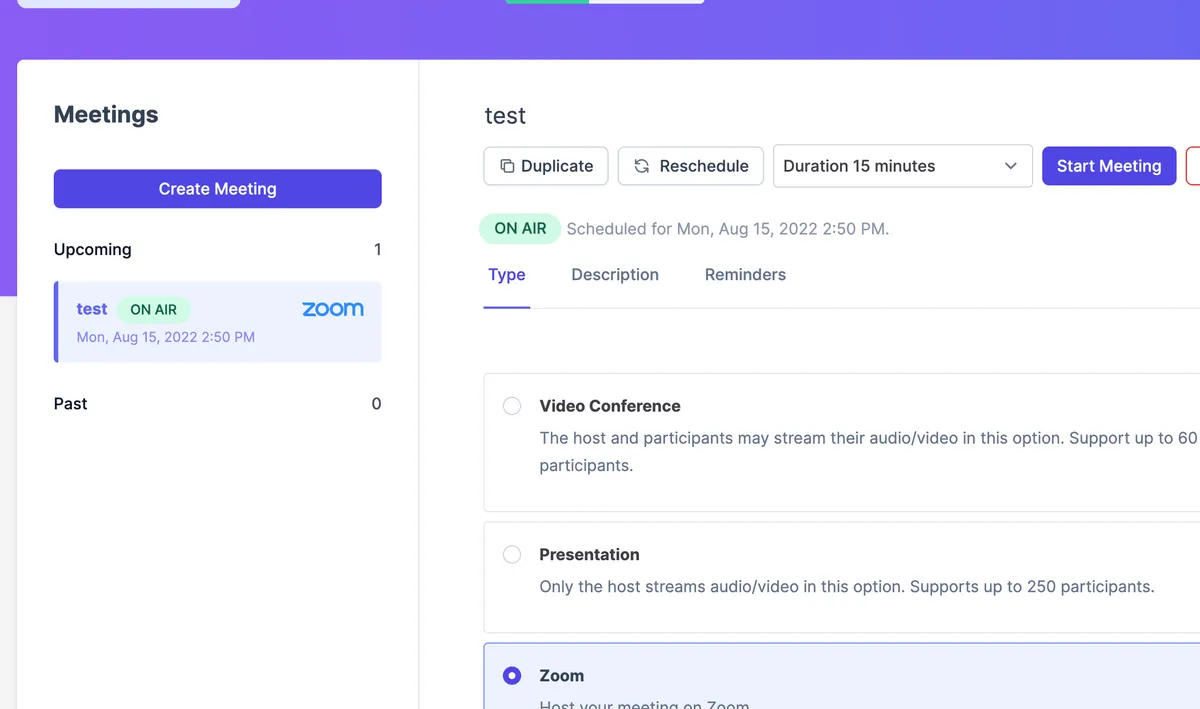
Multiple ways for students to join
Students can join from a button inside the course, from email reminders, or from their personal calendar — so everyone gets in, every time. No more "I couldn't find the link" messages.
Secure unique link for every call
Ruzuku generates a fresh, unique Zoom link for each session — no reusing the same meeting ID. Added security for you and your students.
Automatic time zone handling
Schedule sessions in your time zone — Ruzuku automatically displays the correct local time for each student. No more "What time is that for me?" questions.
Recordings and searchable transcripts
Cloud recordings sync to the course automatically. On the Pro tier, meetings get AI transcription too — fully searchable, so students can find exactly what they need.
Real-World Examples
Here's how course creators like you actually use this integration.
Weekly Q&A Sessions
Host "Coffee with Coach" sessions where students drop in to ask anything — great for building community.
Interactive Workshops
Run intensive sessions with breakout rooms for small group discussions and hands-on practice.
Cohort Check-ins
Keep cohort students accountable with regular group calls to share progress and get support.
Guest Expert Interviews
Bring in industry specialists for live interviews that your students can attend and ask questions.
Key Capabilities
Common Questions About Zoom
Ready to Connect Zoom?
Go to your account Integrations page, connect your Zoom account, and you're ready to create Zoom meetings inside any course. No plugins to install.
No credit card required · 0% transaction fees · Cancel anytime